The day's record, written where the day happened
A daily report in Review.live is a form a foreman can fill on a phone between tasks and a manager can read at a desk without asking a single question: weather, crew and hours, equipment, materials, deliveries, visitors, delays, safety, the work performed, and the day’s photos. It autosaves on the device as it is typed, and when it is submitted it is frozen as a revision with a history anyone on the project can read.

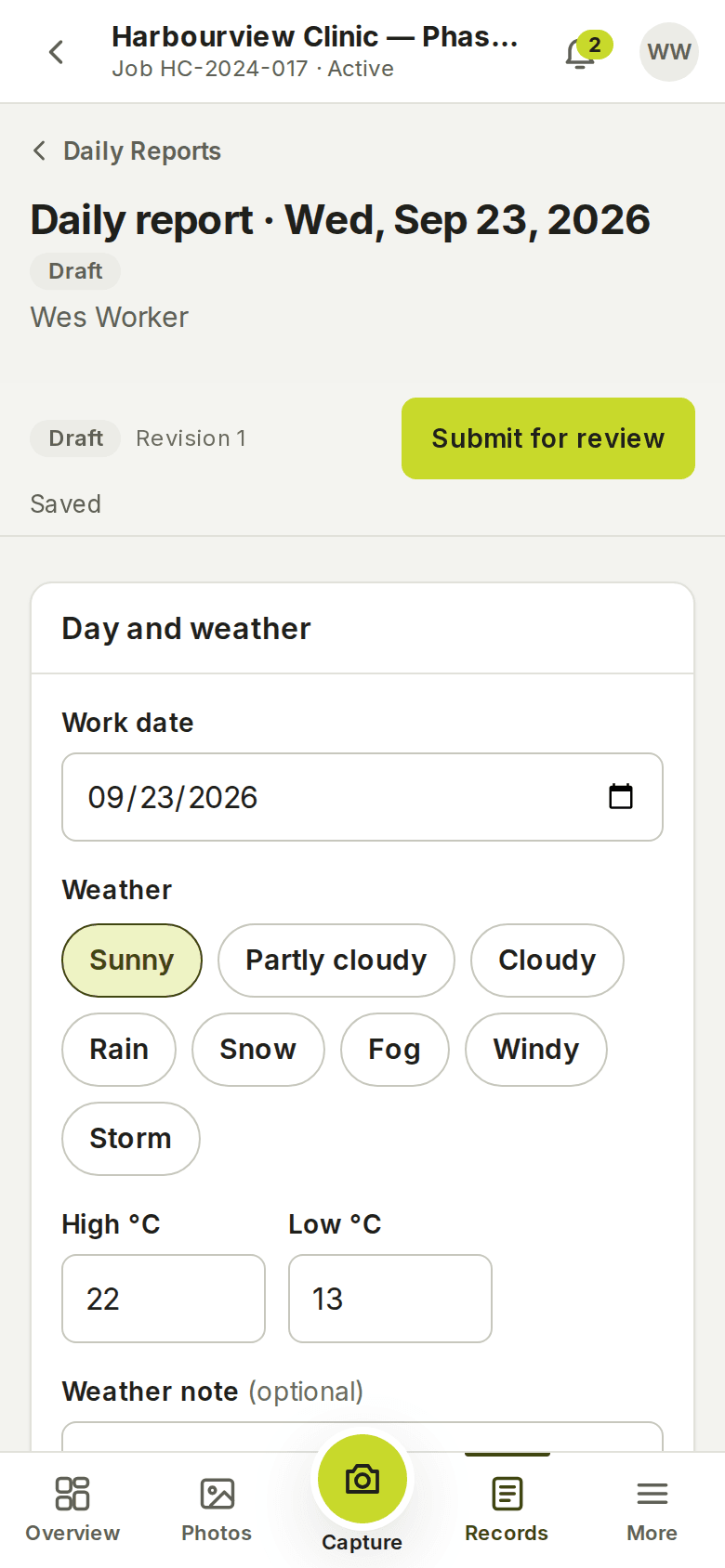
Filled on the phone, one section at a time
The work date is the project’s own day, not the server’s. Weather can be typed or filled by the server from the project’s coordinates for that date — the report says which. Crews, equipment, materials, deliveries and visitors are typed lines with the columns each kind needs: workers, regular and overtime hours, quantities and units, times, notes.
Every change is saved on the device first; the report goes to the office when there is a connection. A report started at 7:00 in a basement is still there at 15:00 in the truck.
Submitted, reviewed, approved — with a history
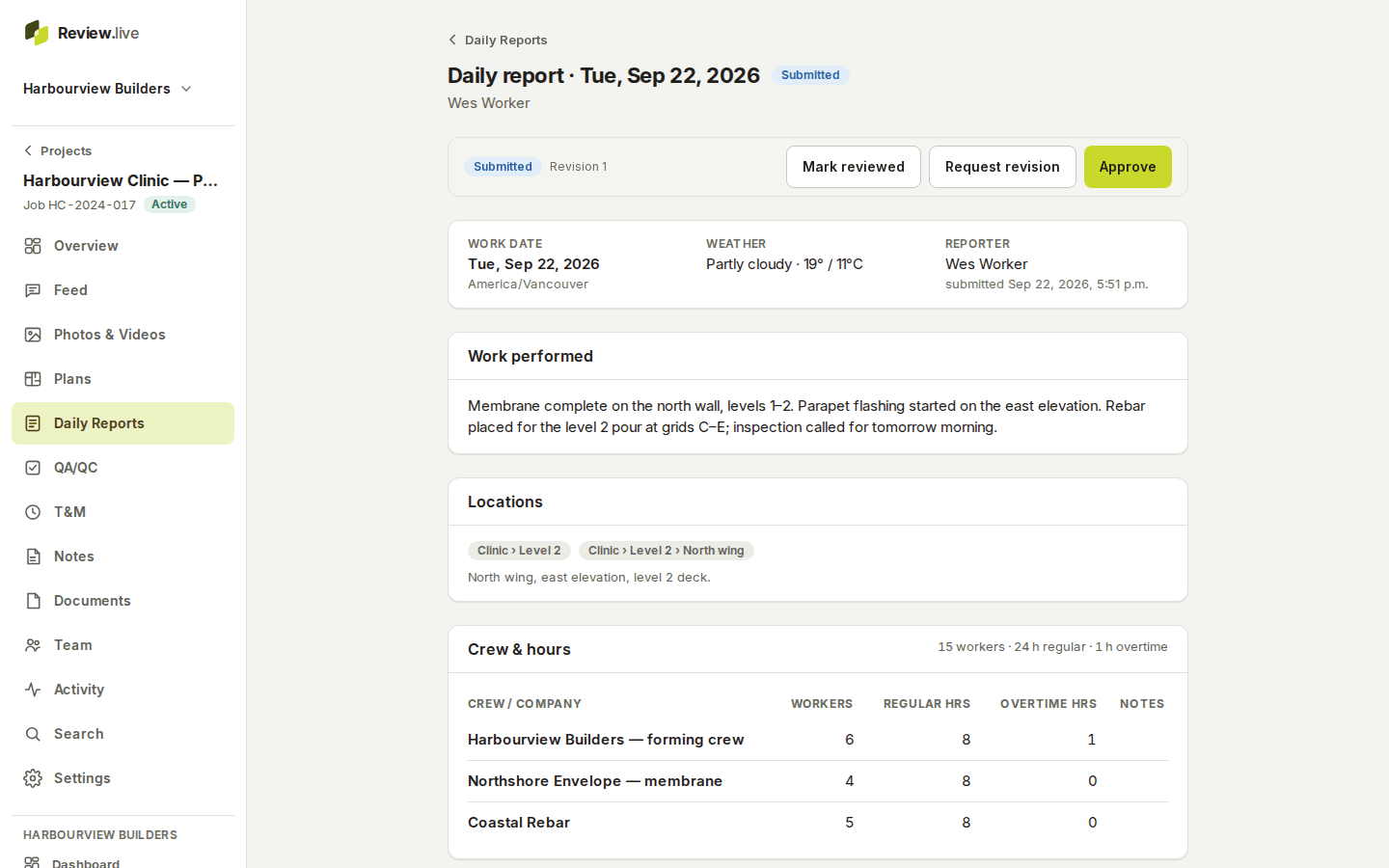
Submit checks that the required fields are there and that every attached photo has finished uploading, then freezes the revision: a snapshot with a checksum, the base of the PDF. A manager marks it reviewed, approves it, or asks for a revision with a message; the author’s resubmission is revision two, and revision one is kept as it was.
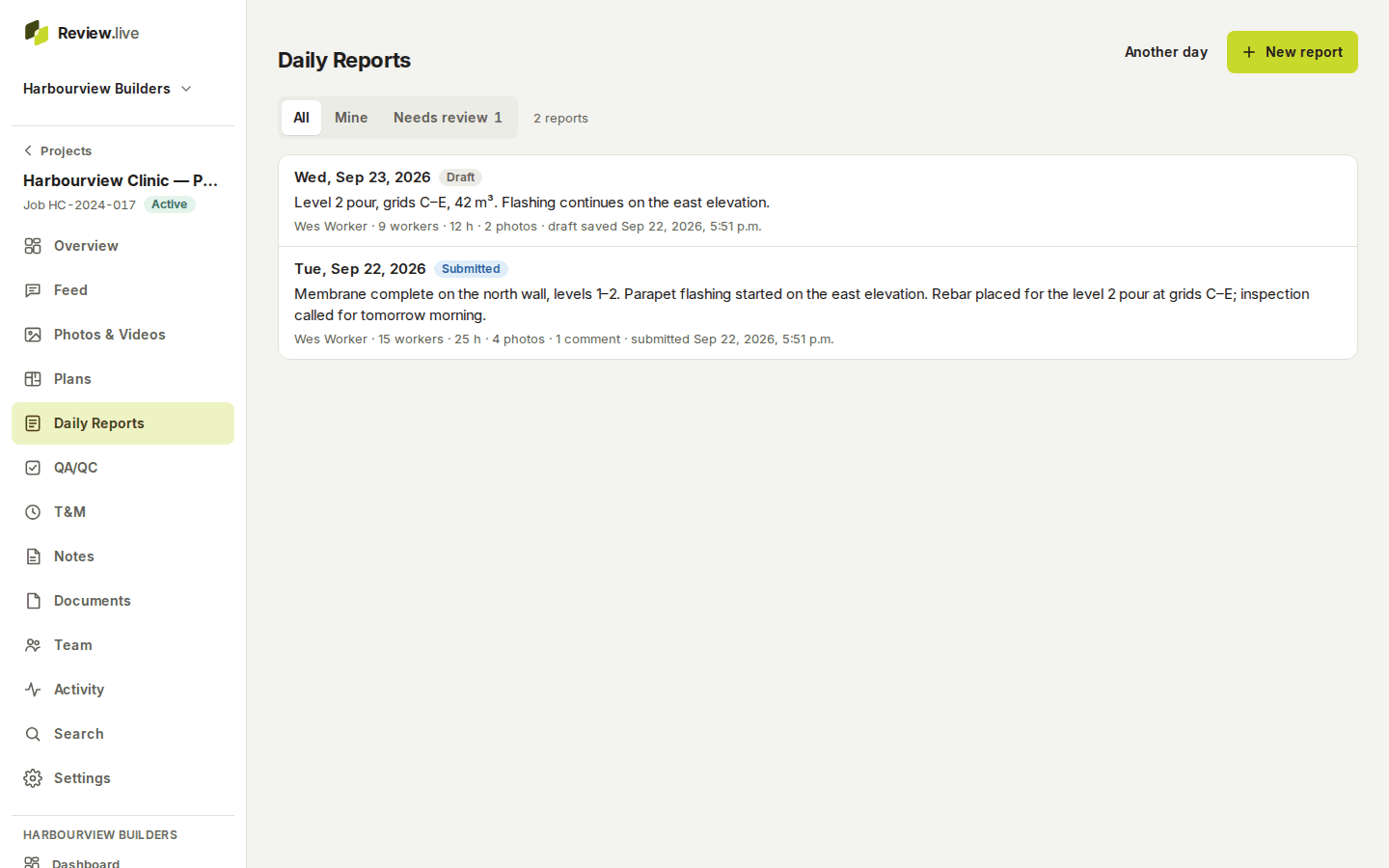
Managers are told when a report arrives. Each report carries its comments, and the project feed shows it alongside everything else that happened that day.
A PDF of the revision, and the period report
Any report prints to a PDF of its frozen revision — never of live rows — with the company’s logo and colour; a draft prints with a DRAFT — NOT SUBMITTED watermark. Asking for the same document again returns the same file.
For a week or a month, the project report gathers the numbers across every record, and the export packs reports, photos, plans and documents into a ZIP with a manifest and checksums.
What the record holds
Each item below is a field the application stores today — the list comes from its schema, not from a plan.
- Work date in the project's timezone; the reporter; status and revision number
- Weather conditions, high and low temperature, a note, and whether it was typed or filled from Open-Meteo
- Work performed, locations note, delays with hours lost, safety note and incident flag
- Crew lines: crew or company, workers, regular and overtime hours, notes
- Equipment (quantity, hours), materials (quantity, unit), deliveries and visitors with times
- QA/QC and T&M notes for the day, general notes
- Project locations, attached photos and videos, comments
- Every submission, review, revision request and approval, with who and when
What it does not do
There is no timesheet or payroll export, no cost coding, and no scheduling. The weather fill uses a public forecast and archive service for the project’s coordinates and says so; it is a convenience, not a certified observation. Signing is for inspections and T&M tickets; a daily report is submitted and approved rather than signed.
The other parts
Start with one project
Create a company, add a project, invite the crew. Your records stay yours: readable and exportable for a year if access ever ends, and nothing is removed without notice — what happens to your records.