Inspections from a checklist, with the failures followed through
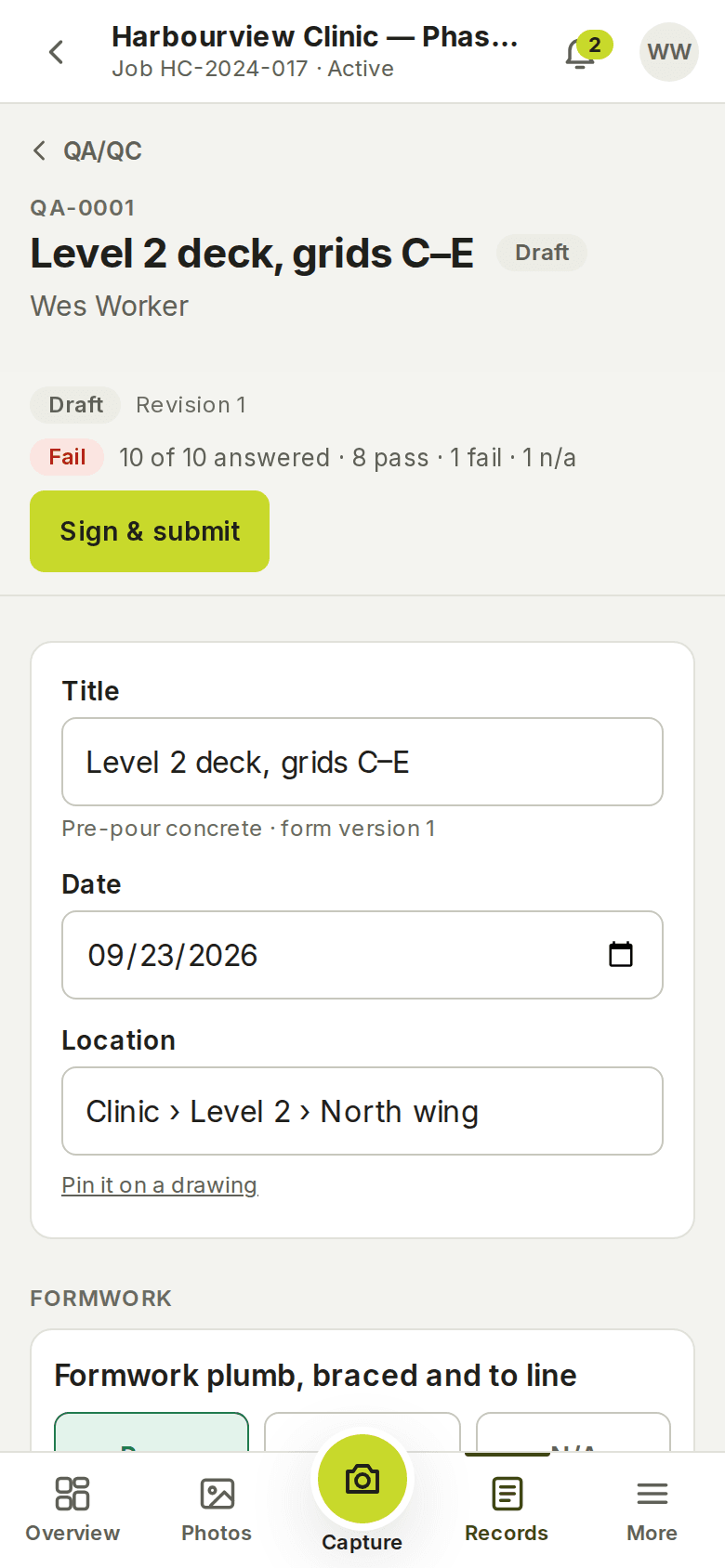
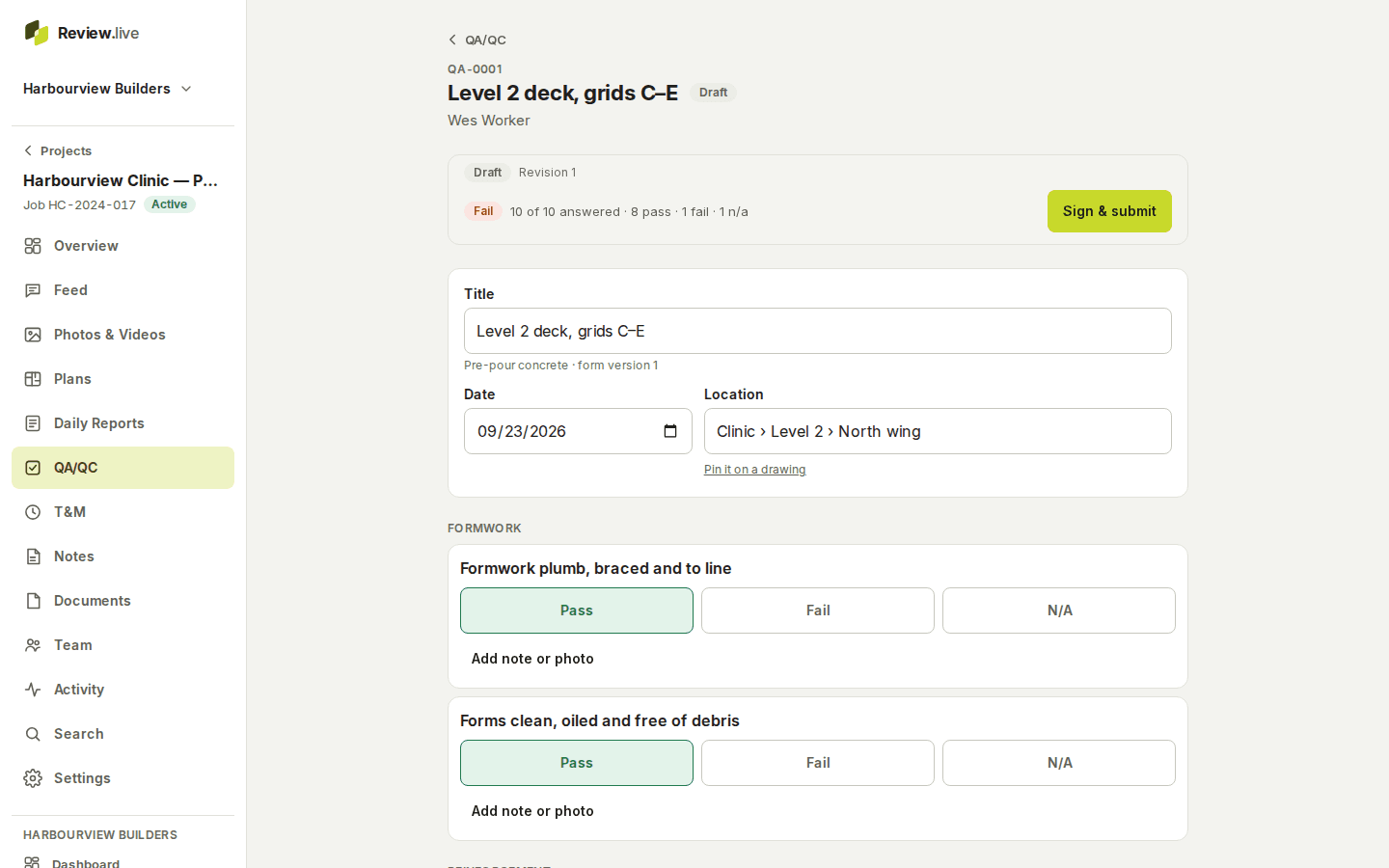
An inspection starts from a template — six come built in, and a company adds its own — and walks the inspector through each item: Pass, Fail or N/A, a note, a photo. A failed item raises a corrective action with an owner and a due date. The inspector signs on the device, the record is frozen, and the PDF shows exactly what was signed.

Templates the whole company shares, versioned
Built in: a general inspection, pre-pour concrete, waterproofing membrane, MEP rough-in, a safety walk and a deficiency review. A company’s admins add their own checklists in company settings and hide the built-in ones they never use. Every inspection keeps a reference to the exact template version it was made from, so a checklist edited next year does not change what was inspected this year.
Pass, Fail, N/A — and what happens next
Each item takes a result, a note and a photo. A required item must be answered before the inspection can be submitted. From a failed item the inspector raises a corrective action — a description, who owns it, when it is due — and the action moves through open, in progress, resolved and verified, with each step recorded. Actions are numbered per project and never renumbered.
Signed on the device, frozen as a revision
The inspector signs on the phone’s screen — the drawn signature, the typed name and company, the acknowledgement text they agreed to, the server’s time — and the signature is bound to the revision and its checksum. Submitting freezes the revision; a manager reviews, approves or asks for a revision, and a correction is a new revision with the earlier one kept.
The PDF renders the frozen revision with the results, notes, photos, actions and the signature. Inspections can be pinned to a plan sheet like any other record, so a reviewer sees where on the drawing it was.
What the record holds
Each item below is a field the application stores today — the list comes from its schema, not from a plan.
- Per-project number (QA-0001…), title, work date, location, status and revision
- The template and the exact template version used
- For every item: section, label, guidance, required or not, the result, a note and photos
- Corrective actions: number, description, the failed item, owner, due date, status history
- The inspector's signature: image, typed name and company, acknowledgement text version, server time, verification method
- The frozen snapshot of each revision with its checksum
- Plan sheet, revision and point; comments; the PDF
What it does not do
Templates are lists of items, not branching forms: there are no conditional questions, numeric tolerances or calculated fields. Signatures are drawn or typed acknowledgements recorded with the server’s time and the signer’s session — not a certificate-based digital signature. Inspections are the company’s own; the product does not send them to an authority. For extra work found during an inspection, see T&M records.
The other parts
Start with one project
Create a company, add a project, invite the crew. Your records stay yours: readable and exportable for a year if access ever ends, and nothing is removed without notice — what happens to your records.